
Tasks
Nothing slips through the cracks.
Break work into subtasks, assign owners, and move it across the board. Every task is linked to its project, with comments, updates and an approval step.
To do
In progress
Review
Done
Drag tasks between columns. Priority is color-coded; due dates flag when they slip.
Break it down
Subtasks that drive progress
Split a deliverable into subtasks and check them off. A task's progress fills in automatically as they're completed.
Living room concept
67%Sketch concept
Source materials
Render final
Your way
Board, table, or calendar
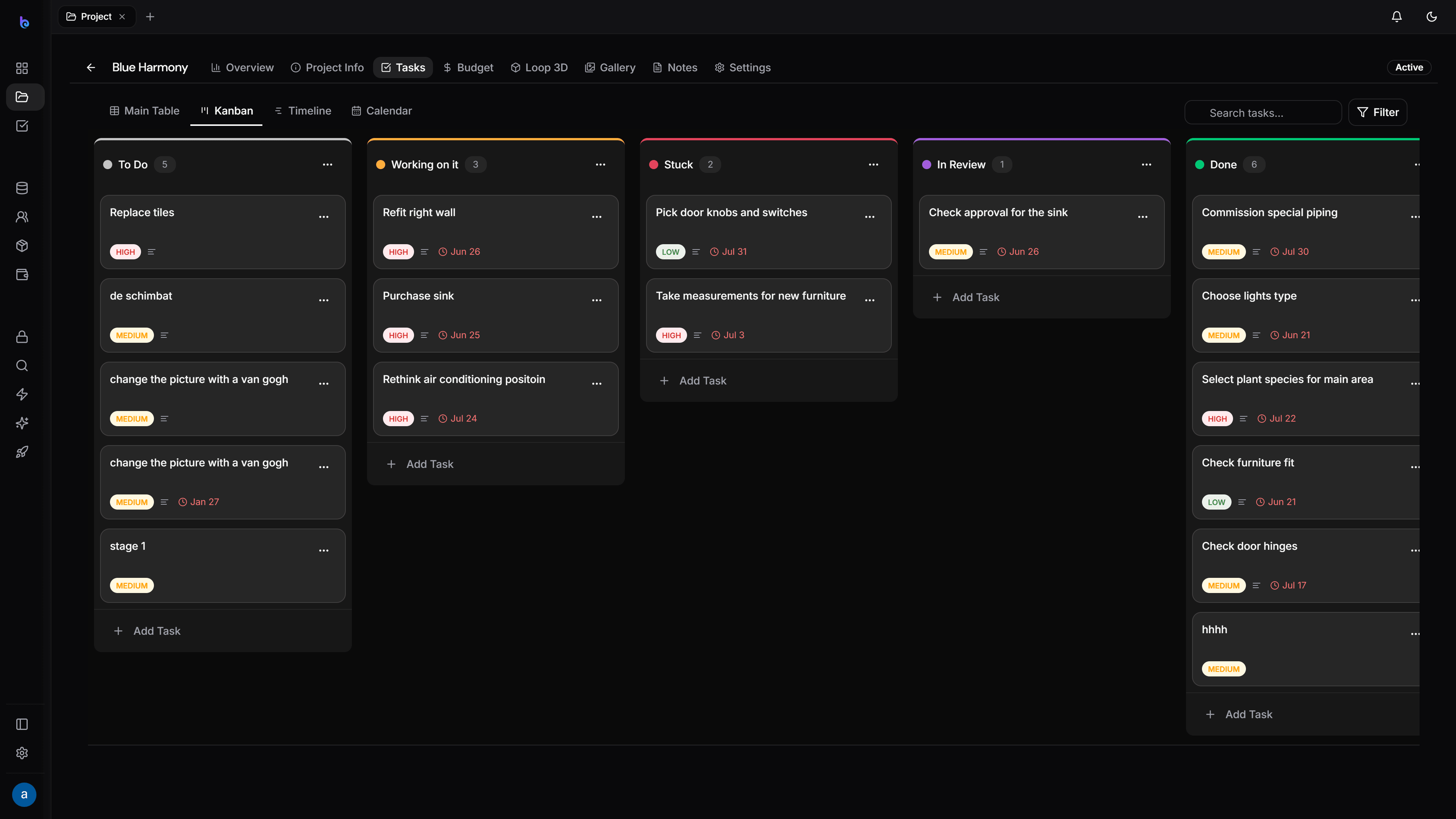
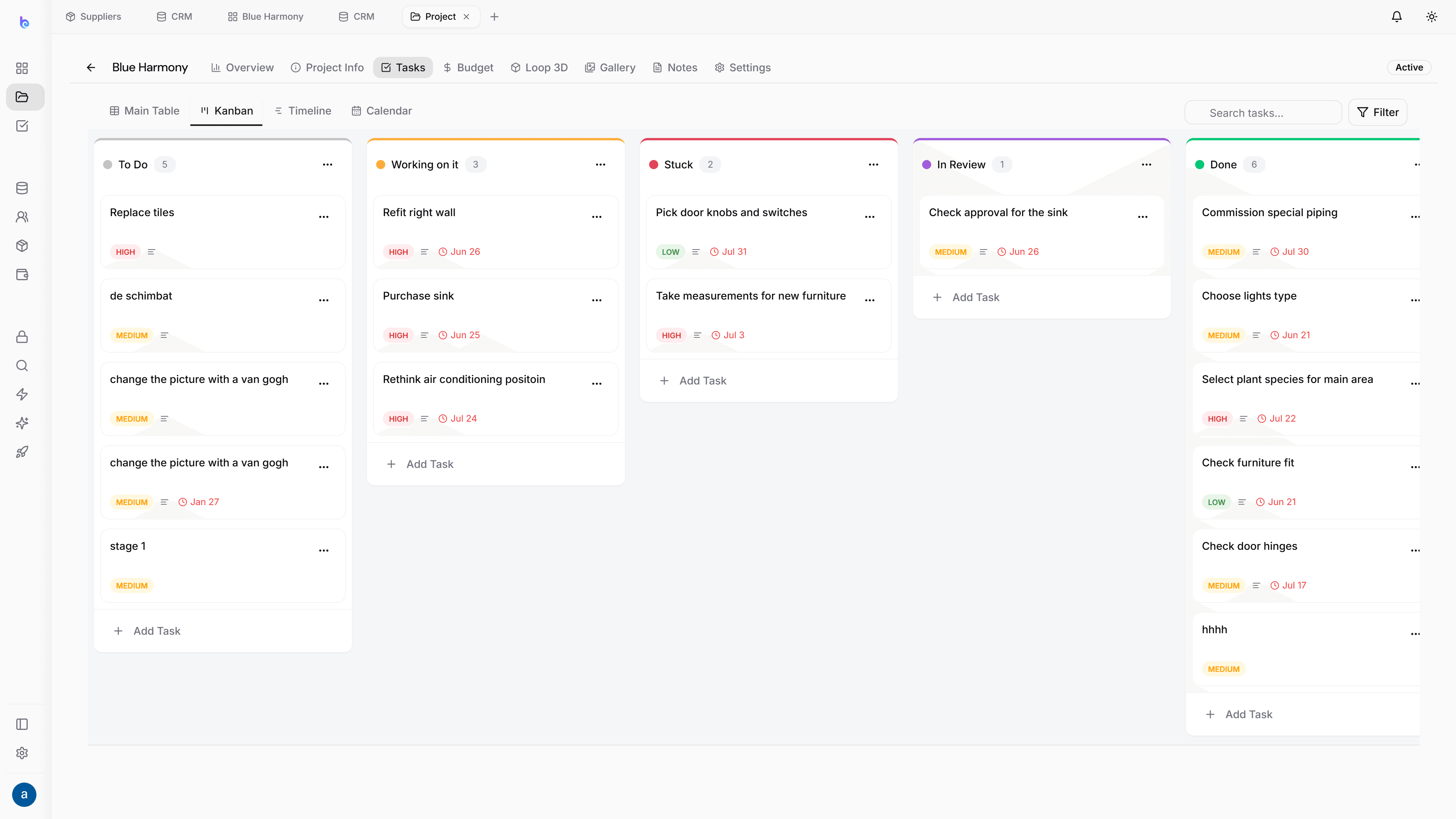
Board
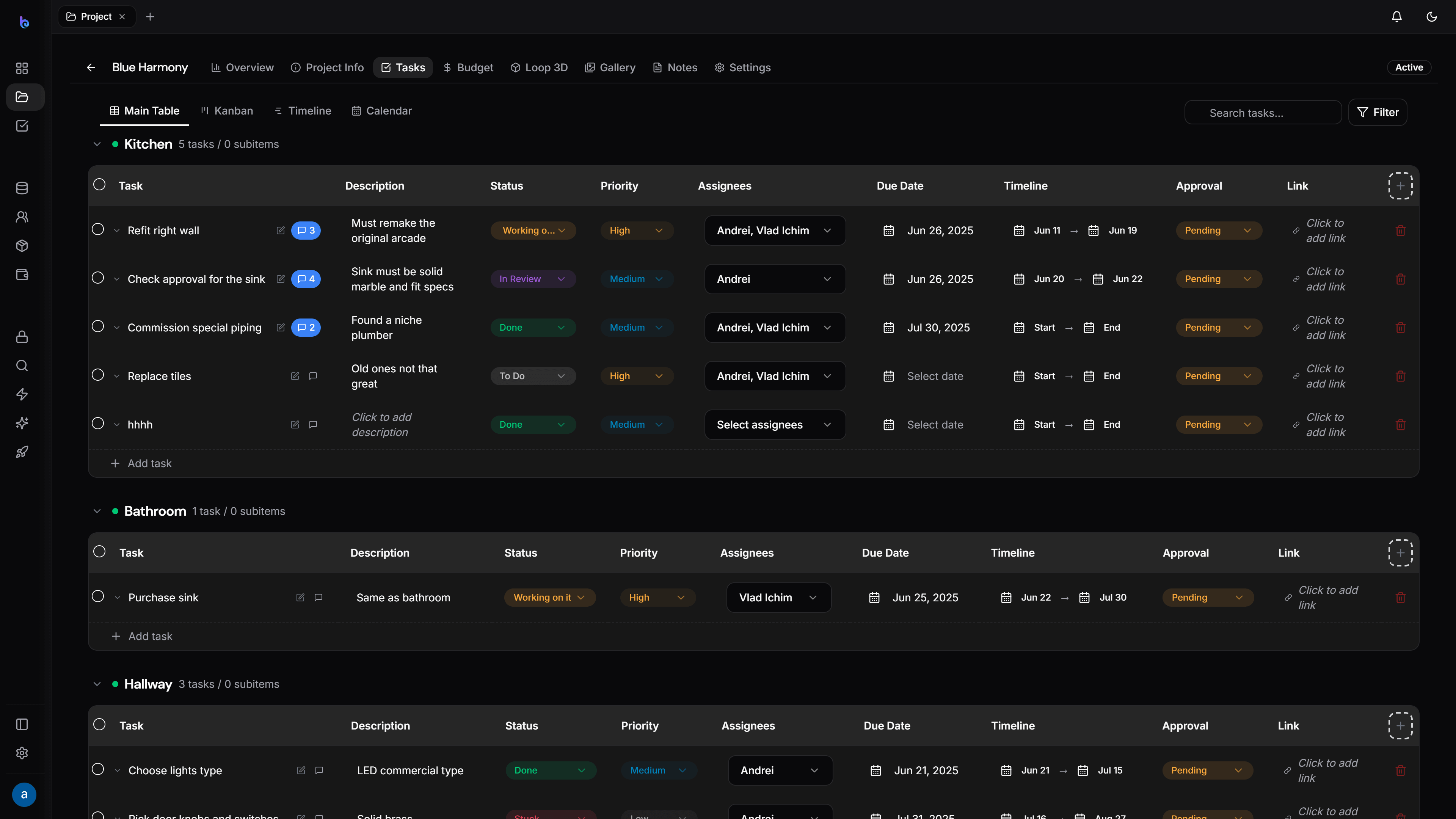
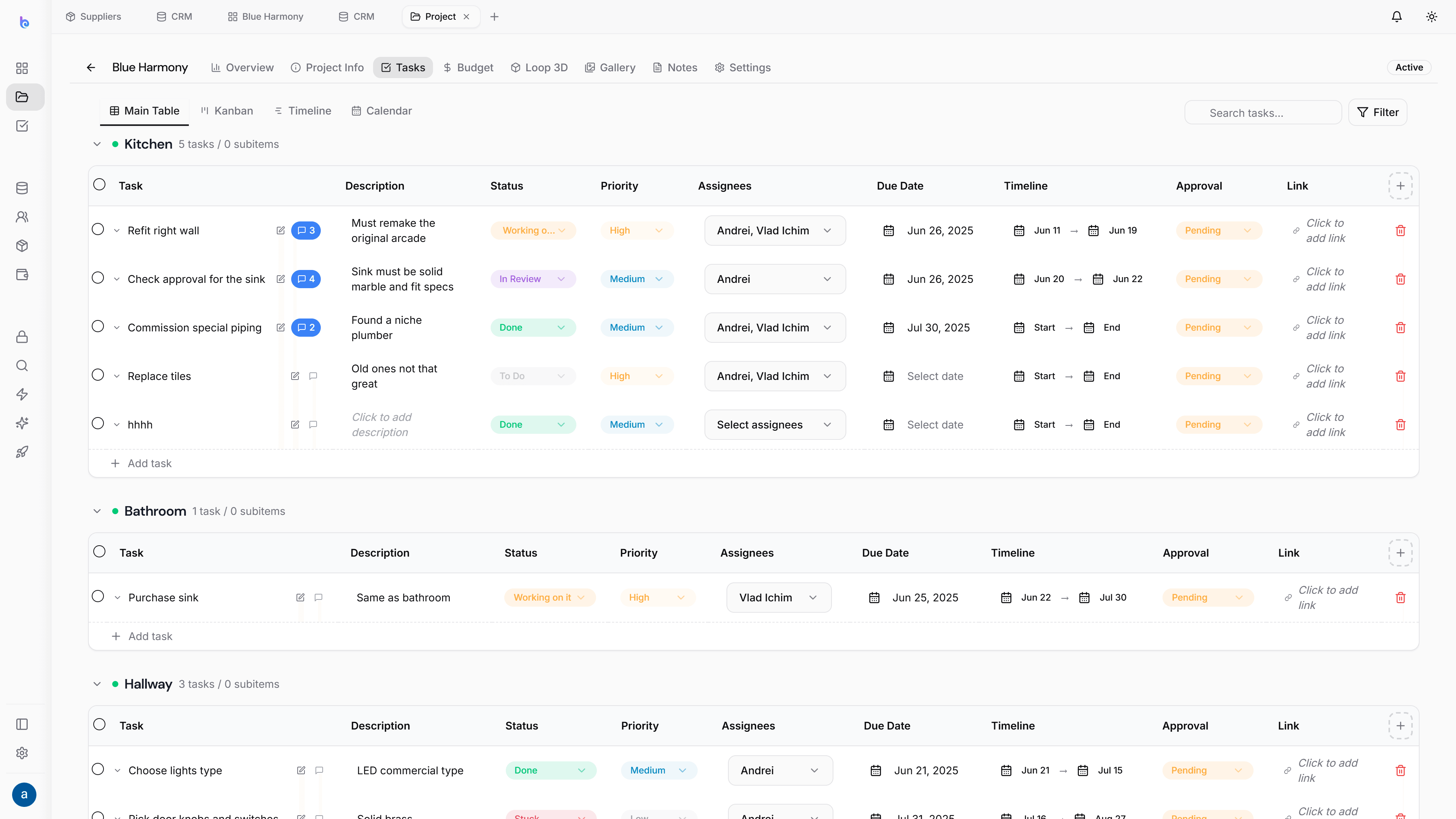
Table
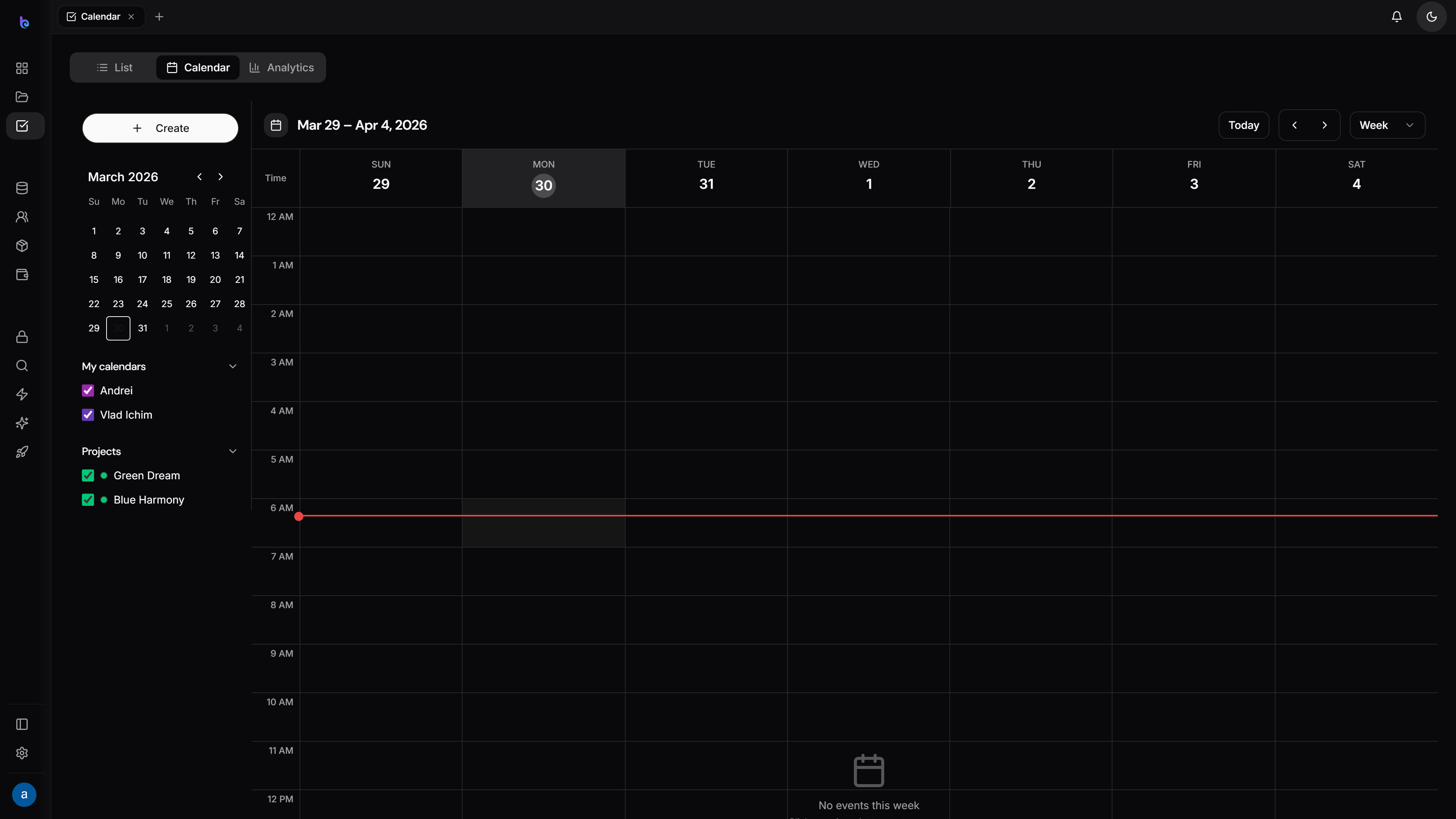
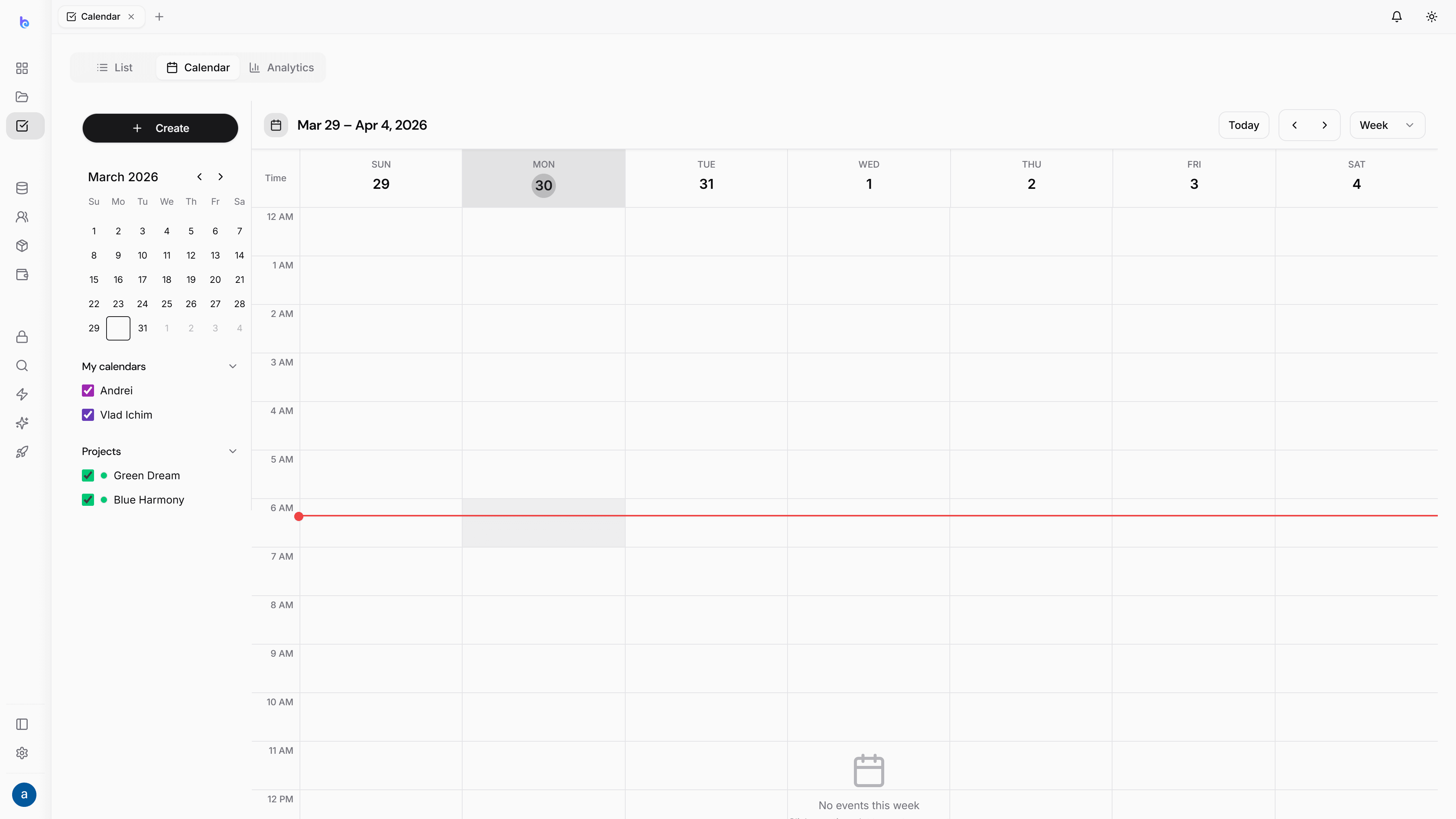
Calendar
A built-in approval step
Send a task for review and approve or reject it right there. The Updates tab keeps the full back-and-forth in one thread.